December 19, 2014

The Best Windows Software Toplist - from gHacks.net

On this page, you find a listing of the best Windows software. Most of the applications listed here are free, with the occasional commercial program added to the listing.
If commercial software is listed here, you can be sure that it is a top of its class product that excels in its vertical.
All programs have been carefully vetted, reviewed, and virus-checked to make sure that the list is clean and uber-useful to users of the Windows operating system.
The toplist has been divided into several categories and pages for ease of access. While it would have been possible to place them all on one page, it would have grown too big in terms of size and loading time.
The decision was made to use broader categories to avoid the creation of too many pages. That's why a category such as Security contains antivirus software, firewalls, rootkit removers and other security related programs.
Last but not least, we have also made the decision to add a software companies page to the very end, linking to developers who have earned their trust because of their excellence in the field.
Updates
  • 6.2.2014 - Added Display Driver Uninstaller, ImDisk Toolkit, PhotoSift, Replace Genius, Who is on my Wifi, WinPatrol
  • 17.6.2014 - Added Dumo, EasyNetMonitor, FoldersPopup, Rimhill, Seriousd, SmoothVideo Project
The available categories, and the programs that have been added to them are:
Appearance
  • Classic Shell
  • Rainmeter
  • Start8
Backup and Recovery
  • Clonezilla
  • DataRescue DD
  • DriveImage XML
  • Dumo
  • EaseUS Todo Backup
  • Eraser
  • FilExile
  • Mailstore Home
  • Recuva
  • Redo Backup & Recovery
  • Roadkill's Unstoppable Copier
  • SystemRescueCD
  • TestDisk
  • Win32 Disk Imager
Communication
  • Pidgin
  • Postbox (commercial)
  • Skype
  • Teamspeak
  • Thunderbird
Development
  • FileZilla
  • Notepad++
  • PNG Gauntlet
  • Sublime Text (commercial)
  • VirtualBox
  • WinSCP
  • XAMPP
File Management
  • 7-Zip
  • BurnAware Free
  • CDBurner XP
  • DropIt
  • Everything
  • File Optimizer
  • ImgBurn
  • Search My Files
  • Unlocker
Internet
  • Browser Repair Tool
  • Bulk Image Downloader (paid)
  • EasyNetMonitor
  • Firefox
  • Free Download Manager
  • Internet Download Manager (commercial)
  • Internet History Browser
  • inSSIDer (commercial)
  • MiPony
  • Newsbin Pro (commercial)
  • qBittorrent
  • uTorrent
  • uVNC
  • Who is on my WiFi
Multimedia
  • AIMP
  • Audacity
  • CDex
  • ConvertXtoDVD (commercial)
  • DVD Chief
  • DVD Flick
  • DVDShrink
  • FastStone Image Viewer
  • Fast Picture Viewer (commercial)
  • Foobar
  • Freemake Video Converter
  • Gimp
  • Miro
  • Mp3Gain
  • Paint.net
  • QGifer
  • PhotoSift
  • Riot
  • Screenshot Captor
  • SmoothVideo Project
  • SMPlayer
  • StreamWriter
  • VLC Media Player
  • VSDC Free Screen Recorder
  • XBMC
  • XnView
Productivity
  • Apache OpenOffice
  • Calibre
  • Clipboard Help+Spell
  • Clipjump
  • doPDF
  • Foxit Reader
  • Launchy
  • LibreOffice
  • PDFCreator
  • QuiteRSS
  • Replace Genius
  • Seriousd
  • Sumatra
  • Word Expander
Security
  • Avira Free Antivirus
  • BufferZone Pro
  • CCleaner
  • DiskCryptor
  • Dr. Web CureIt!
  • Gmer
  • HiJackThis
  • HitmanPro (commercial)
  • Junkware Removal Tool
  • KeePass
  • Malwarebytes Anti-Exploit
  • Malwarebytes Anti-Malware
  • Microsoft Enhanced Mitigation Experience Toolkit (EMET)
  • Peerblock
  • PrivaZer
  • RogueKiller
  • Sandboxie (commercial)
  • True Crypt
  • WinPatrol
System
  • Autoruns
  • CPU-Z
  • Dataram
  • Defraggler
  • Display Driver Uninstaller
  • FoldersPopup
  • GPU-Z
  • Grub2Win
  • ImDisk Toolkit
  • JavaRa
  • Open Hardware Monitor
  • OUTDATEfigher
  • Process Explorer
  • Revo Uninstaller
  • Right-click Enhancer
  • SlimCleaner
  • Speccy
  • Speedfan
  • SUMO
  • System Explorer
  • UltraDefrag
  • Visual BCD Editor
  • Windows Offline Update
  • WizTree
Misc Software
  • DosBox
  • F.Lux
  • Keyboard and Mouse Cleaner
  • Mouse Without Borders
  • MSI Afterburner
  • Print Queue Cleaner
  • QTranslate
  • Rimhill
  • ShareMouse
  • X-Mouse Button Control
Developer Websites
  • Donation Coder
  • Nirsoft
  • Sysinternals

Appearance

The Appearance category lists programs that change how the operating system or programs that you run on it look like. This can be a program to change wallpapers automatically, total conversions, or other programs that let you modify the look of a Windows operating system.
Classic Shell
classic shell start menu Classic Shell is probably best known for its start menu that it can add to the Windows 8 operating system. It can modify the start menu of other Windows versions as well, and change other elements of the operating system like Internet Explorer or the Shell if you desire.
Review | Go-To
Rainmeter
rainmeter desktop Rainmeter can change the look and feel of the desktop in many ways. From different skins to widgets that display all sorts of information.While it is not that easy to create skins of your own, the sheer number of available ones is reason enough to give this a try.
Review | Go-To
Start8 (commercial)
stardock start8 config Start8 is one of the programs that adds the start menu back to the Windows 8 operating system. It offers several features besides that, for instance options to disable hot corners or better control options.
Review | Go-To

Backup and Recovery

Backup and recovery lists tools that provide you with the means to backup data to restore it at a later point in time.
Clonezilla
clonezilla Clonezilla is a bootable Linux distribution that provides you with access to tools to clone hard drives or create disk images.
No Review Yet | Go-To
DataRescue DD
datarescue dd DataRescue DD can create an image of any hard drive partition but the system partition. The ide abehind it is to create a backup so that it can be restored at a later point in time.
Review | Go-To
DriveImage XML
driveimage xml The backup software enables you to backup logical drives or partitions to image files, browse and extract those image files, and restore the images to another drive. Another interesting feature is drive to drive copy, and the option to schedule automatic backups.
Review | Go-To
Dumo
dumo driver updates Dumo (Driver Updates Monitor) is a free program that scans your system for devices and installed drivers, to check those drivers against a database to see if updates are available. If that is the case, these updates can then be downloaded and installed.
Review | Go-To
EaseUS Todo Backup
easeus todo backup 5.0 The free backup software offers one-click backups of the system and recovery options, as well as options to backup a hard drive or partition.
Review | Go-To
Eraser
eraser If you want to remove files securely from your system, you may want to use a tool like Eraser for that. It overwrites data -- either selected data or the free space on the drive -- so that file recovery software cannot recover data anymore.
Review | Go-To
FilExile
filexile FilExile has been designed to remove directories and files that cannot be deleted by normal means, for instance if they are somehow locked by the system, if the path is too long, or if the name of the file or folder is invalid.
Review | Go-To
Mailstore Home
mailstore home update 8.0 screenshot Mailstore Home is an email backup software. You can use it to backup emails stored by local email clients such as Thunderbird or Outlook, or remote clients via Pop3 or IMAP connections.
Review | Go-To
Recuva
recuva data recovery Recuva is a file recovery software for the Windows operating system. You can use it to restore files that have been deleted before on the computer's hard drive.
Review | Go-To
Redo Backup & Recovery
redo-backup Redo Backup & Recovery is a portable backup solution for Windows and Linux that runs from CD or USB. You can use it to backup Windows or Linux systems, to recover important files, and use network shares as well.
No Review Yet | Go-To
Roadkill's Unstoppable Copier
file recovery software Unstoppable Copier can be used to copy data off a drive. Unlike other programs which may simply stop when errors occur during the process, it will copy data from damaged hard drives and disks.
Review | Go-To
SystemRescueCD
system rescue cd usb SystemRescueCD is a Linux based rescue disk that you can boot from CD or USB. It provides access to maintenance, system management and troubleshooting tools.
Review | Go-To
TestDisk
testdisk TestDisk is a data recovery software that provides you with a whole array of features. Use it to fix partition tables, rebuild boot sectors, or fix the MFT among other things.
Review | Go-To
Win32 Disk Imager
win32-disk-imager You can use the program to write disk image files (img format only) to devices connected to the computer.
Review | Go-To

Communication

The Communication group includes messaging software programs, Internet telephone, email and other communication tools.
Pidgin
pidgin Pidgin is a cross-protocol and -platform chat client that supports a variety of popular networks you can connect it to.
Review | Go-To
Postbox
postbox Postbox is a commercial email client based on Thunderbird. It offers build-in features that Thunderbird does not offer such as better Gmail integration, a powerful tagging system, and several other features that improve productivity.
Review | Go-To
Skype
facebook chat skype Skype is an easy to use communication software for Windows. It supports telephone, video telephone as well as chat messaging.
Review | Go-To
Teamspeak
teamspeak Teanspeak is a voice communication software that is available for multiple platforms. It is popular in the online gaming world, but can also be used for other purposes.
Review | Go-To
Thunderbird
mozilla thunderbird 24.1 Mozilla Thunderbird is a popular cross-platform email client. It supports other forms of communication besides email, including chat, RSS and newsgroups.
Review | Go-To

Development

Development software that runs on Windows is listed here. This includes entire development environments as well as smaller programs that help developers in other ways.
Filezilla
filezilla Filezilla is an ftp client and server for the Windows operating system. It supports ftp, ftps and sftp connections, IPv4 and IPv6, and the majority of features that you would expect from a ftp client.
Review | Go-To
Notepad++
notepad++ 6.0 Notepad++ improves the standard Notepad text editor of Windows in many ways. It has been designed to support many programming and scripting languages out of the box, supports plug-ins, and dozens of other features.
Review | Go-To
PNG Gaunlet
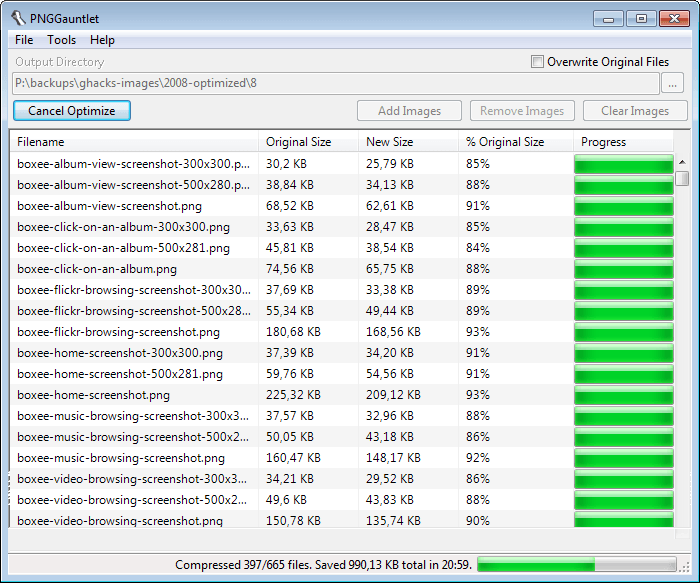
png gaunlet resize images PNG Gauntlet reduces the size of PNG images. This is an ideal tool for webmasters who want to speed up the loading times of their websites, as they can save data without impacting the quality of the images.
Review | Go-To
Sublime Text
virtualbox Sublime Text is a very versatile text editor for code and markup languages. It offers an impressive set of fetaures including split editing, multiple selections, a distraction free mode, instant project switching and more.
No Review Yet | Go-To
VirtualBox
virtualbox VirtualBox is a software virtualization environment that you can use to run another operating system on your machine. This is often used for testing purposes during development.
Review | Go-To
WinSCP
winscp 5.1 WinSCP is a versatile ftp, sftp and scp client for Windows. It supports a wide range of synchronization and authentication features that make it ideal for development purposes.
Review | Go-To
XAMPP
xampp XAMPP installs a full-fledged Apache web server on the local Windows system. It ships with MySQL, PHP and Pearl, and provides you with an environment that you can use to develop and test locally.
Review | Go-To

File Management

Programs that aid you in the management of files on your system are listed here. This includes file browsers, but also other file related programs such as archiving software or viewers.
7-Zip
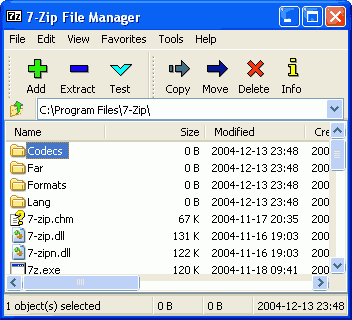
7-zip 7-Zip is an open source file archiver that supports its own format 7z and the majority of other popular formats, at least when it comes to unpacking archives packed with them.
Review | Go-To
CDBurner XP
cdburnerxp A free disc burning software for Windows that supports all important disc burning tasks. You can use it to create data, audio and video discs, burn ISO images, or copy discs.
Review | Go-To
BurnAware Free
burnaware free 6.0 screenshot BurnAware Free is a free -- limited version -- of the popular burning software. You can use it to run all basic disc burning tasks on Windows. This includes the burning of data discs, media discs, as well as custom discs.
Review | Go-To
DropIt
Dropit rules DropIt improves certain file operations for you. You can either invoke those manually, or configure the program to monitor specific folders at all times so that they are performed automatically instead.
Review | Go-To
Everything
everything search Everything is a blazing fast desktop search program for Windows. Use it to speed up file searches on the operating system.
Review | Go-To
File Optimizer
reduce file size File Optimizer can reduce the file size of select file formats such as Docx, PDF, Png or MP3 to save disk space and speed up data transfers.
Review | Go-To
ImgBurn
imgburn disc burning ImgBurn is a free disc recording software for Windows. It supports all burning tasks that you will ever need, and while its interface takes some getting used to time, it is definitely one of the best programs in its niche.
Review | Go-To
Search My Files
search my files 4.0 Search my Files is an alternative search tool for Windows. It improves search in many ways, for instance by adding regular expression support to it or dozens of information about the files.
Review | Go-To
Unlocker
unlocker window Unlocker takes care of files and folders that cannot be deleted in Windows.
Review | Go-To

Internet

Tools that require the Internet to function, or use the Internet for functionality. Web browsers fall into this category, as do tools such as download managers and P2P software.
Browser Repair Tool
browser repair tool Browser REpair Tool offers to repair Internet Explorer, Firefox or Google Chrome, to restore its original functionality or repair issues that you are experiencing while using the browsers.
Review | Go-To
Bulk Image Downloader (Commercial)
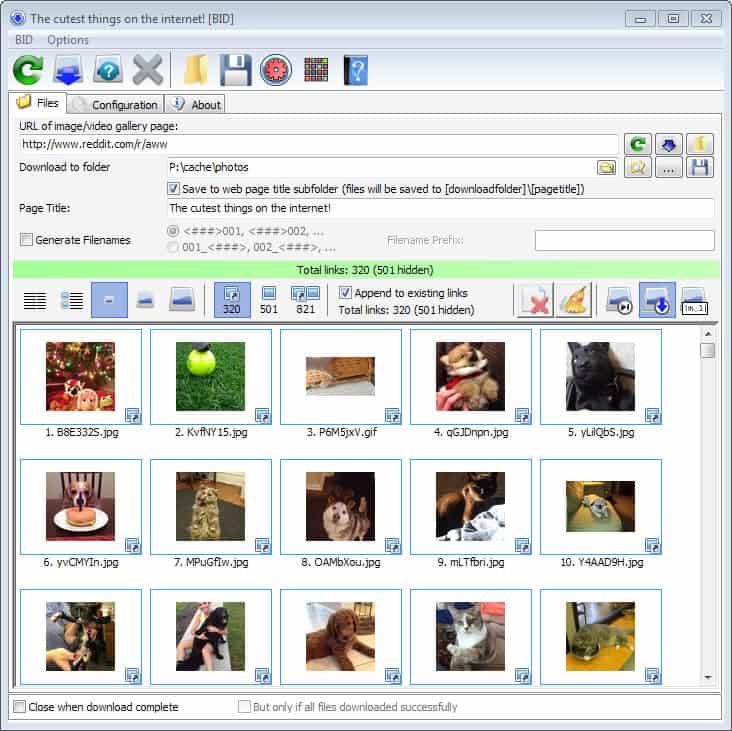
bulk image downloader 4.65 Bulk Image Downloader is probably the most versatile flexible image downloader for Windows. It can parse multiple pages at once for images so that you can download them in one go almost effortlessly to your system.
Review | Go-To
EasyNetMonitor
add domain hostname ip The program provides you with the means to monitor remote or local hostnames, domains or IP addresses. It will information you if a site becomes unavailable so that you can react immediately.
Review | Go-To
Firefox
firefox 26 review Firefox is a popular web browser developed by Mozilla. It has many appeals, from being the most customizable browser to its impressive extension support.
Review | Go-To
Free Download Manager
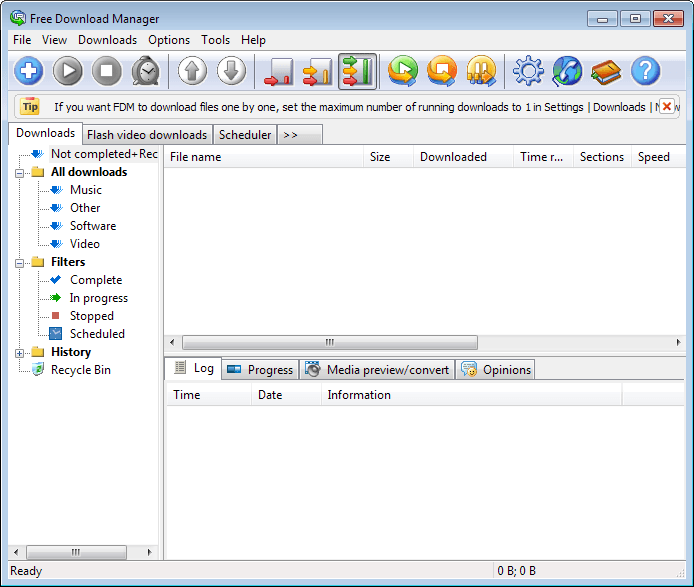
free-download-manager A free download manager for Windows that is available as lite and regular version. The full version supports Bittorrent downloads among other features, which you can add as plugins to the lite version.
Review | Go-To
inSSIDer
wireless network inSSIDer scans the local area network for wireless access points, and displays all that it finds in a list. Use it to find the best channel for your own wireless router, to resolve conflicts, or to troubleshoot your wireless connection.
Review | Go-To
Internet Download Manager (commercial)
internet download manager 6 Internet Download Manager is a versatile file downloader for Windows. It integrates with various web browsers, but can be fed with download links directly as well. The program ships with all the bells and whistles that you'd expect from it, including authentication support, scheduling, profiles and a lot more.
Review | Go-To
Internet History Browser
internet history browser The program displays the combined history of popular web browsers like Internet Explorer, Firefox, or Google Chrome in its interface.
Review | Go-To
MiPony
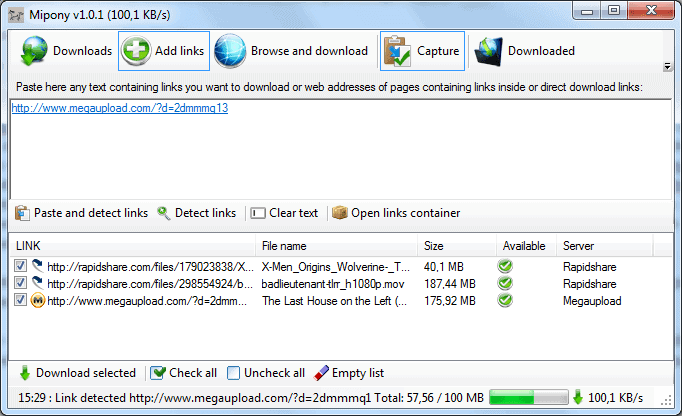
file hosting download manager mipony MiPony is a file downloader that supports direct downloads as well as downloads from dozens of file hosting services such as Mediafire, Mega, Filefactory or Sendspace.
Review | Go-To
Newsbin Pro (commercial)
internet history browser The -- in my opinion -- best Usenet client for Windows. While not free, it has a lot to offer. You can add as many servers as you want, use the excellent search to find articles in the local database, or use the Internet search option to find them this way. It supports everything you'd expect it to support, and then some.
Review | Go-To
qBittorrent
internet history browser QBittorrent is a cross-platform Bittorrent client that is an excellent alternative to the popular uTorrent client. It supports all features that you'd expect a client to support.
Review | Go-To
uTorrent
utorrent codec information uTorrent is without doubt the most popular Bittorrent client, at least on the Windows platform. It is lightweight and fast, even though it has become bloated in recent time with feature additions that are not directly related to the downloading of torrent files.
Review | Go-To
uVCN
ultravnc Use UltraVNC to display the screen of another computer on your own. This works both over a network and the Internet, and can be used for remote jobs, tech support, or simply controlling another PC through the one you are using.
Review | Go-To
Who is on my WiFi
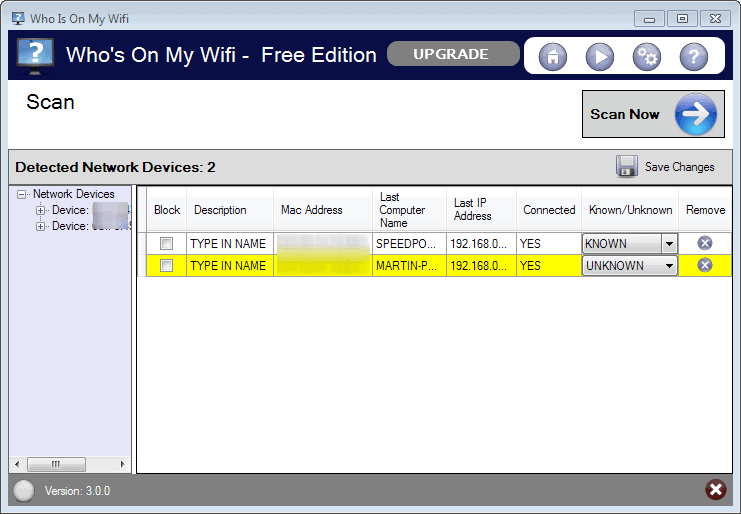
whos-on-my-wifi Who is on my WiFi checks your network for wireless freeloaders, that is neighbors and others that use your wireless Internet connection without authorization. This is done automatically in the background.
Review | Go-To

Multimedia

Applications that let you view or edit media files are listed here. From converting videos and audio files to viewing images and streaming media.
AIMP
aimp AIMP is an excellent music player for Windows. It plays nearly every audio file out of the box, supports lots of additional features besides playback, and is still lightweight and easy to use.
Review | Go-To
Audacity
audacity mp3 ringtones Audacity is a cross-platform audio recorder and editor. You can use it to record any sound playing on your computer -- or the environment if you are using microphones -- and to edit the recorded sounds or audio files that you load into the program.
Review | Go-To
CDex
cdex You can use CDex to rip music CDs to mp3 format, so that you can play the music on your computer or other devices.
Review | Go-To
ConvertXtoDVD
convertxtodvd 5 review This is one of the best programs to turn any video source file into a video DVD. Just add the files and let the program do the rest. You can pick various themes for the DVD menu and make other modifications to the process as well if you want.
Review | Go-To
DVD Chief
dvd chief A movie collection software for Windows. Use it to keep an overview of all of your movies. It features interesting options, like pulling data from various Internet databases, or launching movies right from the interface.
Review | Go-To
DVD Flick
dvd flick The DVD authoring tool DVD Flick can be used to turn video files into video DVDs. It supports over 45 different file formats and advanced features such as DVD menus, subtitle support and more.
Review | Go-To
DVDShrink
rip dvd shrink You can use DVD Shrink to create copies of video DVDs, or backups on your local system.
Review | Go-To
FastPictureViewer
fastpictureviewer pro 1.9 review FastPictureViewer is probably the fastest image viewer for Windows. It can do a lot more than that though, as it has been designed to quickly go through a large list of photos after a photo shoot.
Review | Go-To
FastStone Image Viewer
faststone image viewer 4 A powerful image viewer for Windows that can open many popular image formats. Support includes several RAW image formats, and options to save images to a different format.
Review | Go-To
Foobar
foobar Foobar is a long standing lightweight audio player for windows that supports most formats out of the box, and many others by installing component files. It is a highly customizable player, and its source code is provided as well.
Review | Go-To
Freemake Video Converter
freemake video converter gold pack The versatile converter supports the majority of formats out of the box. You can use it to convert video files into a different format, including audio only or DVD video.
Review | Go-To
GIMP
gimp 2.8 GIMP is a popular cross-platform image editing suite. It has a lot to offer, and while not as complete as Photoshop, it comes close and should be sufficient for most users.
Review | Go-To
Miro
miro 6.0 Miro is an open source audio and video player. What makes it special is that it enables you to subscribe to Internet channels, or tune into live streams right away from its interface.
Review | Go-To
MP3Gain
mp3gain You can use the program to normalize the volume of your mp3 collection so that you do not have to raise or lower the volume constantly depending on the file you are listening to.
Review | Go-To
Paint.net
paint.net 4.0 Paint.net is one of the best free image editors for the Windows operating system. While no Photoshop, it comes close enough for most users.
Review | Go-To
PhotoSift
photosift The free program enables you to go quickly through a collection of photos or images stored on your computer. It uses custom directories that you define and shortcuts that it associates with them to file the photos with a single key press into one of those folders.
Review | http://www.getpaint.net/">Go-To
QGifer
create animated gifs You can use QGifer to create animated gifs. Simply load a video into the program, select the starting and end position of the video that you want turned into an animated gif, define other features such as the desired width and height, and start the process.
Review | Go-To
Riot
riot image optimization 0.5 Riot is an image optimization program that tries to reduce the size of images without changing the quality in the process.
Review | Go-To
Screenshot Captor
xnview 2.0 Screenshot Captor improves the screenshot taking functionality of Windows tenfold. You can use it to take various types of screenshots -- full screen, windowed or scrolling for example -- and also edit them right after you have taken them, or have them saved directly without that.
Review | Go-To
SmoothVideo Project
smooth video playback The application has been designed to improve playback quality on Windows PCs. It uses various techniques to reduce or eliminate lag, frame drops or stutters which you may experience during playback.
Review | Go-To
SMPlayer
smplayer youtube A highly efficient media player for Windows that plays all media files out of the box regardless of codecs installed on the system.
Review | Go-To
StreamWriter
streamwriter If you want to record Internet Radio, then StreamWriter is the program to go to. It can record as many streams as your PC and Internet connection is capable of.
Review | Go-To
VLC Media Player
vlc media player 2.0.7 VLC Media Player plays all major -- and many minor -- audio and video files out of the box. It is a versatile media player that is constantly improved, supporting other features such as Internet streaming or disc playback as well.
Review | Go-To
VSDC Free Screen Recorder
VSDC free screen recorder The free screen recorder enables you to record part of the desktop screen, or all of it using an easy to use interface.
Review | Go-To
XBMC
xbmc XBMC is a media center that can be installed on a variety of devices including PCs but also mobile devices. It provides an interface that you can make use of to play media files from local, network and remote storage.
Review | Go-To
XnView
xnview 2.0 XnView is a blazingly fast image viewer for Windows. It supports a plethora of different image formats, and ships as a portable version or setup file.
Review | Go-To

Productivity

Software that improves the productivity in one way or the other.
Apache OpenOffice
apache openoffice 4.0 Apache OpenOffice offers an alternative to Microsoft's Office suite. It ships with a similar set of tools, and while some things are not equal yet, it should do for the majority of users.
Review | Go-To
Calibre
calibre 1.0 new cover view Calibre is an ebook manager and reader application. It offers many advanced features, like a virtual library, the auto-generation of a table of contents, or different view modes.
Review | Go-To
Clipboard Help+Spell
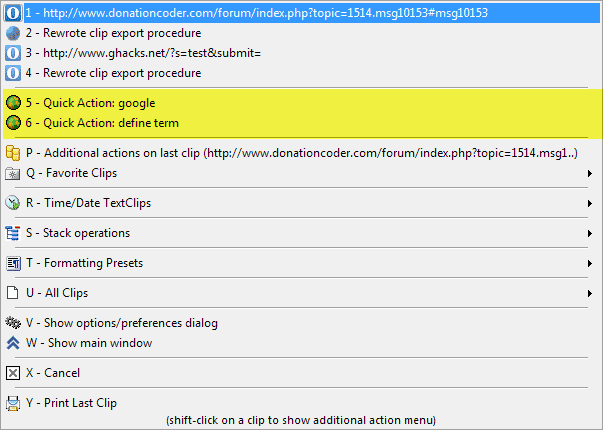
quick-actions Clipboard Help+Spell is an advanced clipboard program that not only improves the copying to clipboard process, but adds a lot of different options to it as well. This includes auto-formatting text or looking up information on the Internet via the program's Quick Action feature.
Review | Go-To
Clipjump
clipjump The Clipboard manager adds a lot of options to the Windows Clipboard. From access to the history, to advanced shortcuts, and all that as a lightweight program that you will barely notice.
Review | Go-To
doPDF
dopdf The free program doPDF creates a virtual printer on your system that you can use for the creation of PDF documents.
Review | Go-To
Foxit Reader
foxit reader Foxit Reader offers a fast alternative to Adobe's free PDF Reader. It offers some features in addition to that, a virtual printer for example that you can use to create PDF documents using it.
Review | Go-To
Launchy
launchy options Launchy is an Open Source file launcher for Windows. It supports skins and plugins, and can speed up the finding of specific documents or files on your system.
Review | Go-To
LibreOffice
libreoffice 4.1 release LibreOffice started as a spin-off of OpenOffice, but has since evolved from there. It does share the core with OpenOffice though, making it another excellent Office alternative for Windows.
Review | Go-To
PDFCreator
pdf creator The program installs itself as a virtual printer that you can use to create pdf documents.
Review | Go-To
QuiteRSS
quiterss desktop feed reader A lightweight RSS reader for Windows. It supports all major features one would expect, with the exception of synchronization between different devices.
Review | Go-To
Replace Genius
replace genius The text replacement software allows you to replace, add, or remove text from text files that you load into the application interface.
It ships with a great set of features that makes the process as easy and comfortable as possible. Each change is displayed as a preview next to the original text, so that you can see the outcome right away before you apply the changes.
Review | http://www.launchy.net/">Go-To
SeriousD
process rules You can track your activity on your PC with the help of the program. It keeps track of running processes and window titles so that you know exactly how much time you spend in a browser like Firefox or on a site like Facebook.
Review | Go-To
Sumatra
sumatra pdf 2.3 If all you need is a fast PDF reader, then Sumatra is an obvious choice. It can read a couple of other formats besides PDF as well.
Review | Go-To
Teamviewer
teamviewer 8 Teamviewer is a remote support software that you can make use of to take control over a remote PC. It is excellent for tech support, but also for other purposes such as demonstrations.
Review | Go-To
Word Expander
word expander Word Expander provides you with access to a global spell checking tool. You can use it to correct words in nearly every Windows application.
Review | Go-To

Security

Security software that protects the operating system from harm, hardens it, or offers means to remove damage that has been done is listed here in this category.
Avira Free Antivirus
avira free antivirus Avira's free antivirus solution for Windows adds malware protection to the system. While it lacks some features that commercial security programs ship with, its own firewall for example, it is still suitable to protect user systems from harm.
Review | Go-To
BufferZone Pro
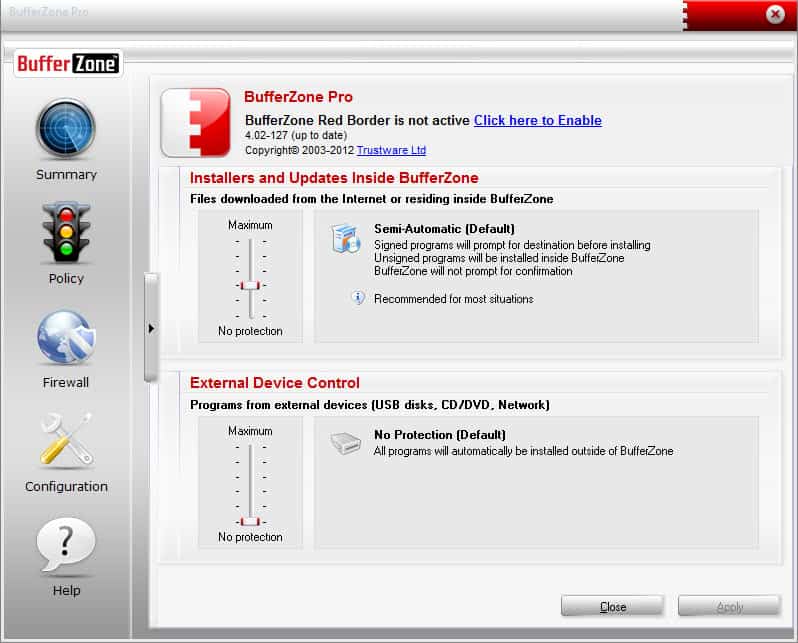
bufferzone sandbox BufferZone Pro is a sandboxing application for windows. It ships with a set of programs that it puts into a sandbox automatically -- web browsers for example -- and gives you options to add others to it as well.
Review | Go-To
CCleaner
ccleaner CCleaner scans the system for file leftovers and temporary files, so that you can remove them to free up disk space or remove files for privacy reasons. If you install CCleaner, do not forget to install CCleaner Enhancer as well.
Review | Go-To
DiskCryptor
disk cryptor DiskCryptor is an easy to use alternative to the excellent True Crypt encryption software. The program can encrypt partitions, including the system partition.
Review | Go-To
Dr. Web CureIt!
dr.web cureit Dr.Web CureIt is an on-demand scanner that you can download and run right away. It will clean your system of malware that it finds effectively.
Review | Go-To
Gmer
gmer 2.0 Gmer is an advanced rootkit scanner for Windows. The results that it displays need interpretation which makes it less than ideal for inexperienced users.
Review | Go-To
HiJackThis
hijackthis HiJackThis scans important locations of the PC to display all information to you in the end. The program requires some knowledge or help, as it is necessary to interpret the results.
Review | Go-To
HitmanPro (commercial)
hitmanpro 3.7 HitmanPro is an on-demand scanner that takes over when resident security software failed to detect, block or remove a threat.
Review | Go-To
Junkware Removal Tool
junkware removal tool The Junkware Removal Tool scans the system for browser toolbars and other unwanted software. You then have the option to remove those programs from your system.
Review | Go-To
KeePass
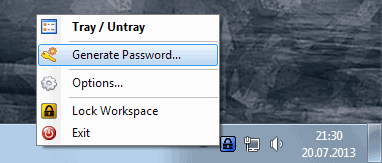
keepass generate password KeePass is a flexible password manager for Windows. It shines on its own, but can be extended through the use of plugins and third party programs.
Review | Go-To
Malwarebytes Anti-Malware
malwarebytes anti-malware A popular highly efficient malware scanner for Windows. Deemed by many as the best in terms of detection rates, and available as as free and paid (adds real-time protection) version.
Review | Go-To
Malwarebytes Anti-Rootkit
malwarebytes anit-rootkit beta The free program scans your PC system for rootkits. It can be used to remove rootkits that have been discovered on the system.
Review | Go-To
Microsoft Enhanced Mitigation Experience Toolkit
emet 4.0 EMET protects the PC from exploits that have managed to bypass the computer's security. It can mitigate several known exploit techniques, rendering the exploits useless in the process.
Review | Go-To
Peerblock
peerblock-beta Peerblock blocks certain IPs from making connections to your PC. Originally designed to block governments, media companies and rights-holders from connecting to your computer during P2P sessions, it is now used for a variety of privacy-related scenarios as well.
Review | Go-To
Privazer
privazer scan PrivaZer scans for leftover data and data that may leak information about you, so that you can remove the data as you see fit.
Review | Go-To
RogueKiller
roguekiller RogueKiller has been designed to remove rogue antivirus software from the computer system.
Review | Go-To
Sandboxie (commercial)
sandboxie Sandboxie adds sandboxing capabilities to Windows. You can run any application in a sandbox environment, for instance as a security precaution, for testing purposes, or so that all of the generated data gets deleted once you kill the sandbox.
Review | Go-To
TrueCrypt
truecrypt algorithm You can use the True Crypt encryption software to create encrypted data containers on your system, or to encrypt hard drives on it directly.
Review | Go-To
WinPatrol
winpatrol WinPatrol monitors the Windows system for changes and informs you about them, so that you can stop them from happening. It monitors autostart for example, so that you are informed about any new program that attempts to add itself to it.
Review | Go-To

System

All system tools are listed here. From system maintenance tools to tweaking software.
Autoruns
autoruns If you need to analyze the startup of windows, Autoruns is the program to do so. It displays everything that gets loaded by the operating system during start, and provides you with options to uncheck programs that you do not want started with it.
Review | Go-To
CPU-Z
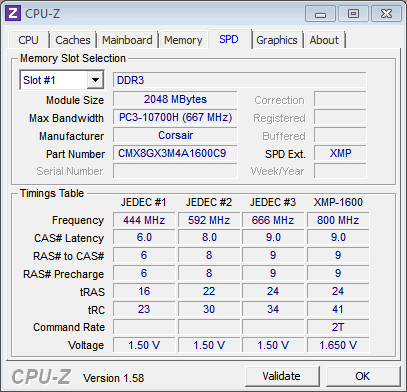
find out ram installed CPU-Z displays heaps of information about the processor, mainboard and memory of the computer it is run on. Great for making sure the hardware is as advertised, or to check upgrade potential.
No Review Yet | Go-To
Dataram
ramdisk Use the application to create a ramdisk on your system. It behaves like any hard drive on your system, with the core difference that operations are a lot faster thanks to being stored in RAM, and that all data is deleted when you shut down the PC.
Review | Go-To
Defraggler
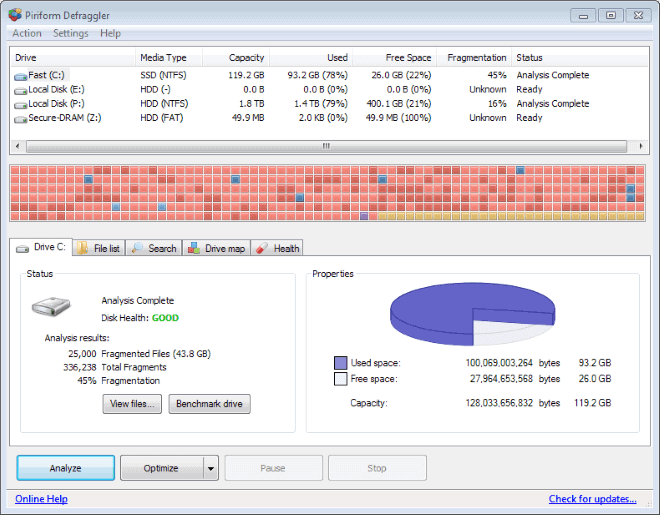
piriform defraggler 2.16 Microsoft has built-in means to defragment drives on Windows regularly in newer versions of Windows. Defraggler adds options to the process and provides you with the means to control it manually as well.
Review | Go-To
Display Driver Uninstaller
display driver uninstaller If you want to make sure that the current display driver is installed without leaving any traces behind, for instance before you install a different video card, you can use the manufacturer's software for that, or Display Driver Uninstaller.
This program comes into play when the official software does not work properly anymore.
Review | Go-To
FoldersPopup
folders popup The program makes available a selection of folders that you can access at any time with a middle-click in Windows Explorer and in default save or open dialog windows.
Review | Go-To
Grub2Win
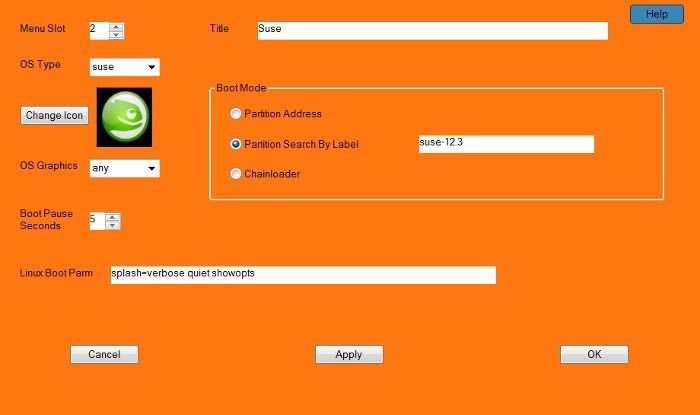
grub2win Use the application to add a boot manager to Windows that enables you to boot Windows or Linux distributions installed on the PC.
No Review Yet | Go-To
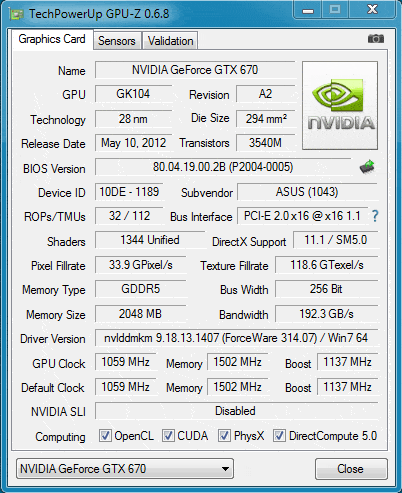
GPU-Z
gpu-z GPU-Z displays all there is to know about the computer's video card. From detailed information about make, model, and manufacturer to clock and power information and supported features.
No Review Yet | Go-To
ImDisk Toolkit
create dynamic ramdisk What sets this program apart from other "Ramdisk" applications is the fact that it can create ramdisks that are dynamic in size. Instead of using up the same amount of RAM all the time, this one only uses as much RAM as is needed to store the data.
Review | Go-To
JavaRa
javara 2.0 JavaRa provides you with the means to update the Java Runtime environment on your system and remove existing installations
Review | Go-To
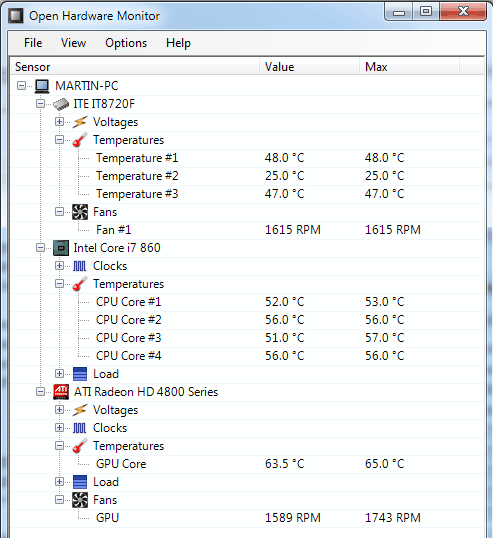
Open Hardware Monitor
open hardware monitor Open Hardware Monitor displays detailed information about the installed components of the PC. This includes information about the motherboard, cpu, RAM and hard drives, as well as additional information such as temperatures or fan speeds.
Review | Go-To
OUTDATEfigher
outdatefighter scan program updates The program scans the system for outdated software and provides you with the means to download updates for those programs so that you can install the latest version on your system.
Review | Go-To
Process Explorer
process explorer autostart Process Explorer provides you with -- very -- detailed process information. It highlights all processes that are running on Windows, their dependencies, resource usage, and virtually any other information you may be looking for.
Review | Go-To
Revo Uninstaller
revo uninstaller A professional uninstaller for Windows that scans for leftovers after the removal so that you can be sure that orphaned files and Registry keys are removed from the PC. Available as a free and professional version.
Review | Go-To
Right-Click Enhancer
right click enhancer Use the program to remove right-click context menu entries in Windows Explorer that you never use or that have been left over after software installations. In addition, you can use it to add new items to the context menu to improve your productivity.
Review | Go-To
SlimCleaner
slimcleaner SlimCleaner is a system maintenance tool that ships with an impressive set of features. From deleting temporary files to verifying running processes or checking for program updates: its library of tools is extensive and mostly very helpful.
Review | Go-To
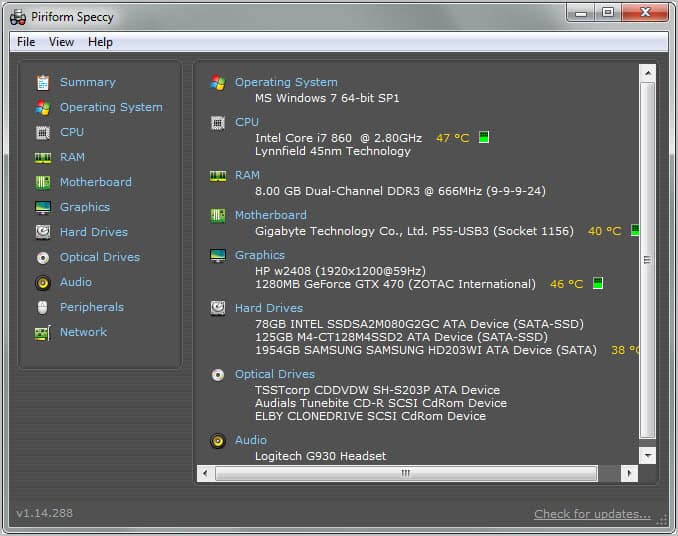
Speccy
speccy Speccy displays all kinds of hardware information in its interface. From the processor model to the RAM type and graphics card.
Review | Go-To
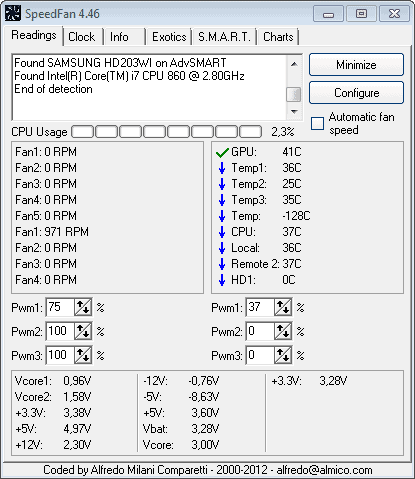
Speedfan
speedfan Speedfan monitors fan speeds, temperatures and voltages of hardware supporting it. You can use it to regulate the speed of fans on your computer among others things.
Review | Go-To
SUMO
sumo software updates monitor The Software Updates MOnitor SUMO scans the PC for outdated software, and rates the programs based on the urgency of the update. You can use it to download and install the latest versions of programs as well.
Review | Go-To
System Explorer
wiztree large files scanner System Explorer at its core is a task manager replacement. Unlike the Windows Task Manager, it will perform operations on its own, like the scanning for malicious processes during startup.
Review | Go-To
UltraDefrag
ultradefrag Ultradefrag is an advanced defragmentation software for Windows. It comes as a portable version and installer, and can also be run from the command line.
Review | Go-To
Visual BCD Editor
visual bcd editor You can use the program to edit the boot menu of Windows Vista or newer versions of Windows.
Review | Go-To
Windows Offline Update
wsus windows offline update You can use the program to download all Windows updates for a selected operating system version or Office from official Microsoft servers.
Review | Go-To
WizTree
wiztree large files scanner WizTree displays the largest files of a selected drive in its interface. You can either browse a tree view of folders and folders, or browse the top 1000 largest files right away instead.
Review | Go-To

Misc software

DOSBox
dosbox If you need to run DOS programs on Windows, for instance a game or application that does not run natively under Windows, then you can use DOSBox for that.
No Review Yet | Go-To
F.Lux
f.lux 3 F.lux changes the intensity of the computer screen depending on the time of the day. It may help you sleep better because of it if you are working on the computer until right before you go to bed.
Review | Go-To
Keyboard and Mouse Cleaner
keyboard and mouse cleaner screenshot The idea to clean the mouse or keyboard usually comes when I'm using the devices. While you can power down your computer to start the cleaning, you can also run this tool instead which locks the mouse and keyboard in place so that you can clean the devices without interference on the screen.
Review | Go-To
Mouse Without Borders
mouse without borders Mouse Without Borders provides you with the means to control multiple computer systems -- connected in a network -- with one keyboard and mouse.
Review | Go-To
MSI Afterburner
msi afterburner 2.2.0 MSI Afterburner works with all kinds of video cards, not only cards by MSI. You can use it for a variety of purposes, from over- or underclocking to recording game videos.
Review | Go-To
Print Queue Cleaner
print queue cleaner This simple program will clear stuck printer queues so that you can start to use the printer for print jobs again.
Review | Go-To
QTranslate
qtranslate QTranslate is an interface for several translation engines that you can run on your desktop. It supports Google and Microsoft Translate among others, and can display translations as an overlay on many programs on the system.
Review | Go-To
Rimhill
change optical drive speed Rimhill can reduce the maximum rotation speed of optical drives to reduce the noise the device makes when it is in use.
Review | Go-To
ShareMouse
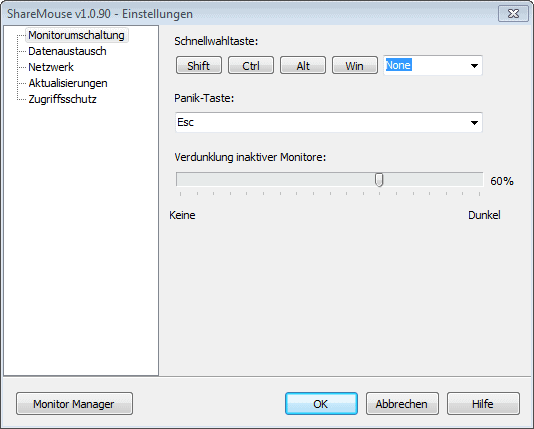
sharemouse The program lets you use one keyboard and one mouse to control multiple computer systems.
Review | Go-To
X-Mouse Button Control
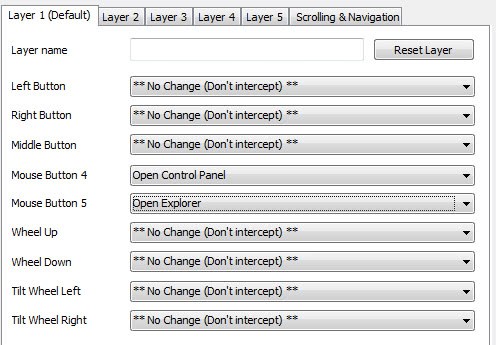
remap mouse buttons The application gives you control over all mouse buttons, so that you can remap them as you see fit. In addition to that, it supports multiple layers which act like profiles that you can switch between.

 Source: http://www.ghacks.net/best-windows-software/

November 25, 2014

Windows 10 Skin Pack For Windows 7/8.1

Microsoft is currently working hard to release a minor update to its struggling Windows 8.1 version. Windows 8.1 Update 1 ( aka Feature Pack for Windows 8.1), which has already been leaked on to the web last week, brings ability to pin Modern or Metro apps to the taskbar, minimize and close buttons to Metro apps, shut down and search buttons on the Start screen, and more.
Windows 10, the next major version of Windows will reportedly land in the last quarter of this year or in the first quarter of 2015 for sure. Microsoft, though hasn’t revealed anything about Windows 10 so far, is expected to show its next version of Windows operating system in this year’s BUILD event, which is scheduled to happen in April. Some sources are also hinting that Windows 10 will reach RTM stage by the end of May, 2015.

Windows 9 Skin Transformation pack
Even though there is no information available and no one outside the Microsoft campus knows what Windows 10 will look like, according to some Windows experts, Windows 10 will ship with a mini-Start (Metro-style!) menu, taskbar for the Start screen, and more personalization options among other features.
But Microsoft’s silence on Windows 9 is not stopping Windows enthusiasts from creating Windows 10 concepts and transformation packs. If you’re looking to try out a Windows 10 transformation pack on your PC, you can now download Windows 10 Skin Pack for your Windows 8 and previous Windows versions.

Skin Pack for Windows 8
Windows 10 skin pack is the first version of the transformation pack and doesn’t include features that you might see in Windows 10, as Microsoft hasn’t shown us what Windows 10 will look like. It just includes some tweaks for Windows Explorer (File Explorer), taskbar and the desktop. So, if you’re looking for a transformation pack that can transform your Windows 8.1 or previous version into the actual Windows 10 (that we haven’t seen so far), you’ll have to wait for a month or two.
We encourage you create a manual system restore point before installing transformation packs, as most of the transformation packs out there can’t easily be uninstalled. Windows 10 Skin Pack (transformation pack) is available for both 32-bit (x86) and 64-bit systems (x64).

skin pack installer

As you can see in the above screenshot, Windows 10 Skin Pack offers you add HQ-Videos Pro to your web browsers. If you aren’t interested in adding it, please click the Skip button when you see the above screen.
Download Windows 10 Skin/Transformation Pack

Source: http://www.intowindows.com/windows-9-skin-pack-for-windows-78-1/

How To Pin A Website Link To Windows 7 Taskbar

By now, you probably know that Windows 7 lets users pin favorite favorite programs to the taskbar for the quick access. That is, one can use the taskbar in Windows 7 to quickly launch their favorite programs. You can pin your favorite web browser, Office applications and other frequently used programs to the taskbar.

pin website shortcut to windows 7 taskbar

One of the hidden features of Windows 7 taskbar is that it lets you pin your favorite websites as well. Yes, you can pin your favorite webpages to the taskbar so you can quickly jump to the webpage without having to first run the web browser.
As some of you know, by default, Windows lets you pin a webpage to your default browser’s jump list only and not to the taskbar. For those who love to pin their favorite websites to the taskbar can complete below mentioned steps to pin their favorite websites to the taskbar.
Alternatively, if you have upgraded to Internet Explorer 9, you can easily pin websites to the taskbar without any workarounds. Check out our how to pin webpages to Windows 7 taskbar using Internet Explorer 9 browser for detailed instructions.
Step 1: Right-click on the desktop, select New and then select Shortcut to launch Create Shortcut wizard.

Pin webpage to taskbar in windows 7

Step 2: In the location box, you need to enter browser’s installation path followed by website address. For example, if you want to pin Into Windows shortcut to the taskbar and want to open open it in Internet Explorer browser, you need to type the following command:
“C:\Program Files\Internet Explorer\iexplore.exe” http://www.intowindows.com

Pin a website to windows 7 taskbar

Step 3: Click Next to enter a name for your shortcut and finally click Finish button to close the wizard.

Pin website to windows 7 taskbar

Step 4: Now, simply drag and drop the shortcut to your taskbar to pin it. Click on the shortcut to launch the website in your favorite browser.

pin website to taskbar in windows 7

How To Install and Add SkyDrive And Google Drive To Send To Menu


With the release of SkyDrive client and Google Drive, backing up files to the cloud has become easier than ever. While SkyDrive offers 7GB free storage (25 GB free upgrade for loyal users), Google Drive offers 5GB free storage space all users. Both services let you extend the storage space by purchasing paid storage.
As we all know, SkyDrive and Google Drive clients are available for Windows. If you have already installed and using SkyDrive and Google Drive, you probably have noticed that one can easily drag-and-drop a file to SkyDrive or Google Drive folder to sync file to the account.
But if you want to backup a large number of files by transferring files to your account, dragging and dropping files may take quite a while. So, what’s the best way to easily send large number of files to SkyDrive or Google Drive folder?

Add SkyDrive and Google Drive To SendTo Menu Step4

The best way is to add SkyDrive and Google Drive shortcuts to the Send to menu. By adding SkyDrive and Google Drive shortcuts to the Send to menu, you will be able to send files in a jiffy.
Procedure:
Step 1: Navigate to C:\Users\UserName directory (“C” is your Windows installation drive letter and “UserName” is your user account name). Right-click on SkyDrive and select Create Shortcut. Also, do a right-click on Google Drive and click Create Shortcut.

Add SkyDrive and Google Drive To SendTo Menu Step2

Step 2: Open Run dialog box. To do this, simultaneously press Windows + R keys. In the dialog, type shell:sendto and hit enter key to open SendTo folder.

Add SkyDrive and Google Drive To SendTo Menu
Add SkyDrive and Google Drive To SendTo Menu Step1

Step 3: Copy SkyDrive and Google Drive shortcuts that we have created in step 1 to SendTo folder. That’s it! You should now have Google Drive and SkyDrive shortcuts in your SendTo menu. From now onwards, you can simply right-click on file, highlight Send to option and then click Google Drive or SkyDrive to send the selected file to the cloud.

Add SkyDrive and Google Drive To SendTo Menu Step3
Send To Menu
The only catch is that when you use the Send to menu to send a file to the Google Drive or SkyDrive, the file will be stored in the root folder. In other words, if you want to send a file to the subfolder of SkyDrive or Google Drive, you will need to manually drag-and-drop the file.
Users who don’t mind adding multiple shortcuts to the Send to menu can add shortcuts of Documents and Public folders to the the menu.

Source: http://www.intowindows.com/how-to-add-skydrive-and-google-drive-to-send-to-menu/

Google Drive Installation And Setup

As we reported a while back, Google has finally launched the much awaited and speculated Google Drive, the cloud based file storage service. The service offers 5GB for storage space and client application is available for Windows, Mac, and Android.
The popular Google Docs service is built right into Google Docs. That is, you can work with others on the same document, spreadsheet or presentation in real time and access your files from anywhere.
Installing and setting the the client on Windows machine is fairly simple. Simply follow the given below instructions to download, install and setup Google Drive on your PC.
Step 1: Visit this page to download the web installer and then run the setup to download and install the program.
Step 2: Once the installation is complete, you will see Sign in to Google Drive dialog where you need to enter your Google credentials to login.

Google Drive
Google Drive1

Step 3: Just like SkyDrive’s setup, Google Drive’s setup also creates a special folded in C:\Users\UserName directory. To select another location, click Advanced setup during installation, click on the Change button next to Folder location and then browse to the location where you wish to save the folder.

Google Drive2

Step 4: Finally, click Start sync button to begin using Google Drive on your computer. Google Drive automatically starts with Windows. When the application is running, you will see a small icon in the system tray and a folder icon in Windows Explorer Favorites area. Simply drag-and-drop a file to Google Drive folder to sync the file.

Google Drive3

Right-click on Google Drive’s icon in the system tray to quickly open Google Drive folder, pause or resume sync, visit your Google Drive on the web, view items shared, buy more storage space, view used storage space, and change preferences. Options to disconnect account and change default sync options are available under preferences.

Source: http://www.intowindows.com/google-drive-installation-and-setup/

Install Google Drive on your Mac/PC

You can keep your Google Drive files on your desktop by downloading Google Drive on your Mac or PC. As an added bonus, you can sync your files between your desktop and the web. This means any changes you make to a file on your Mac or PC will automatically show up on the same file at drive.google.com.
To download Google Drive on your desktop, follow the steps below.

Download Google Drive using the New Google Drive

  1. Go to drive.google.com.
  2. Open the settings menu .
  3. Click Download Drive.
  4. On the download page, choose PC from the list that appears under "Download Drive".
  5. Read the Terms of Service and click Agree and download. You may also check the box next to "Optional" if you'd like to share your usage statistics and crash reports with Google.
  6. Open googledrivesync.exe to automatically start the installation process. If you see a warning that Google Drive is an application downloaded from the Internet, click Open.
  7. Type your Google Account user name and password to sign in to Google Drive. This will be the account associated with Google Drive for your PC.
  8. Complete the installation instructions.
  9. Click Start and choose Google Drive.
  10. Move or copy files and folders from your desktop into your Google Drive folder to begin syncing items. You’ll be able to find your files and folders in "My Drive" in the left hand navigation on drive.google.com.

Download Google Drive using the Classic Google Drive

  1. Go to drive.google.com.
  2. Click Connect Drive to your desktop in the left hand navigation.
  3. Click Download Google Drive for your PC.
  4. Open googledrivesync.exe to automatically start the installation process. If you see a warning that Google Drive is an application downloaded from the Internet, click Open.
  5. Type your Google Account user name and password to sign in to Google Drive. This will be the account associated with Google Drive for your PC.
  6. Complete the installation instructions.
  7. Click Start and choose Google Drive.
  8. Move or copy files and folders from your desktop into your Google Drive folder to begin syncing items. You’ll be able to find your files and folders in "My Drive" in the left hand navigation on drive.google.com.
If you’re having trouble signing into Google Drive on your PC, make sure you have the following enabled in Internet Explorer:

How to Create a Bootable Windows 7 USB Flash Drive

How to create a bootable Windows 7 USB flash drive :  If anyhow you don’t have a windows 7 installation disk or either it is damaged, then you can make use of a bootable  USB pen drive to install windows 7 on your PC. The process of creating a bootable windows 7 USB flash drive is fairly easy but  you would require a windows 7 ISO file to create a bootable windows 7 USB Flash drive.
Advertisements
Fortunately Microsoft provides Windows 7 ISO images as free downloads for all users.  You can download windows 7 iso images from here and Once you have downloaded a Windows 7 ISo file, you can then follow these instructions below to create a bootable windows 7 USB flash drive.

Instructions to create a Bootable Windows 7 USB Flash Drive 

bootable usb flash drive.
  • Step 1: Download rufus on your computer and run it .
  • Step 2: Plug in your USB flash drive into your computer .
  • Step 3: From Rufu’s settings, Choose NTFS as the file system.
  • Step 4: Check ” Quick format ” and ” Create extended label and icon files “
  • Step 5: Check ” Create a bootable disk using ” and click the drive icon beside it to select the windows 7 ISO file .
  • Step 6: Now click on start to create a bootable window 7 USB flash drive .
After a few minutes your Windows 7 bootable  USB flash drive will be  ready for installation. Reboot your PC and set the bootable flash drive as a first boot priority in the bios settings. Save the bios settings and reboot once again to continue with the windows 7 installation process .
 Note: You have to allow booting from USB devices in your BIOS settings in order to proceed further with the windows 7 installation .

Source: http://www.techverse.net/how-to-create-a-bootable-usb-pen-drive-for-windows-7/

November 18, 2014

Use Android phone as webcam for Windows PC using DroidCam

Want to video call someone from your computer but don’t have a Webcam? No problems, DroidCam is a freeware utility that lets you convert your Android device into a web camera for your Windows computer. DroidCam is very useful though simple to use. You need to install the DroidCam onto your Android device as well.

DroidCam 334x400 Use Android phone as webcam for Windows PC using DroidCam

Convert Android mobile device into a webcam for Windows PC

Once you are done with installing the PC client and Phone app, you are ready to go. There are four types of connections available which are as follows:
  • Wi-Fi Mode: Under this mode you can wirelessly connect your mobile phone with the computer and use it as a webcam. This mode is always recommended as it is easiest to setup. You just need to copy the details as it is from phone and enter them on the PC Client. In this mode your mobile phone acts as a Server and your PC as a Client.
  • USB Mode: As the name suggests, this mode lets you use turn your phone into a Web Camera on a USB Connection. This mode is recommended only if you don’t have a Wi-Fi router installed. Some times this type of connection may require advanced configuration due to missing of some drivers.
  • Wi-Fi Server: This mode is only compatible with the paid version of the mobile app, in this mode your computer acts as a server and the mobile as a client. The mode can run under 3G/LTE so that you can connect to an external IP and share your mobile’s camera to a PC from wherever you are.
  • Bluetooth Server: This mode is similar to the previous one, you must have the paid version of mobile app to use the mode.
Once you’ve successfully established a connection between your phone and your Windows PC you are ready to go. You can use the DroidCam to video chat with your friends using Skype or any other video calling software. Remember that the ‘Metro’ version of the Skype is not supported but you can download Skype for Windows to use DroidCam with Skype.
The software is unique in its kind and performs a very uncommon task of converting a phone into a webcam. Nowadays Android phones comes with a camera no less than 5 MP so you can enjoy a quality even better than an average webcam. DroidCam is very simple to use and operate, no advanced configurations are required except in the USB case if the drivers are missing.

DroidCam free download

Click here to download DroidCam client form Windows. You can download the app for your mobile from here.

Source: http://www.thewindowsclub.com/droidcam-use-android-phone-webcam-windows

SandBoxie: Run Programs in a secured environment on Windows

Sandboxie is great program designed for the Windows operating system for protecting the computer from any malicious program and prevent them from making changes to the system files. The application allows user to run programs like browser, PDF, Word, Excel or any other application in a Sandbox environment.
Sandboxie helps user to protect their computer from malicious software, rogue programs, Trojan, spyware, worms, viruses and any threat that can damage the machine. Sandboxie act as a firewall in between your computer and the program you are currently using it as threats gets downloaded when you are online.

Sandboxie for Windows

Sandboxie 600x293 SandBoxie: Run Programs in a secured environment on Windows

How Sandboxie works
Sandboxing is a method of preventing any permanent damage to your system caused by malware, by denying them access to you real system by having the sandbox pretend to be the real operating system. Sandboxie is somewhat different from the usual sandbox program since it does not virtualize everything. It virtualizes only the resources that are requested by the programs running inside the sandbox – like Files, Disk Devices, Registry Keys, Process and Thread objects, Driver objects, and objects used for Inter-process communication such as Named Pipes and Mailbox Objects, Events, Mutexs , Semaphores, Sections and LPC Ports. You can read more about Sandboxie and Sandboxing.
When you launch the application, it creates an isolated space and prevents programs to make permanent changes in the computer.
User can configure Sandboxie application according to their requirement and can run multiple applications in a single Sandboxie program. Threats ranging from botnets to banking Trojans that are very destructive in nature and some ransomware are considered as the biggest threat for security conscious computer user.

How to use Sandboxie

  • Download Sandboxie and run the setup.exe file to install the application, the setup.exe will download few more files to complete the installation once done a Sandboxie Control window will pop up on the screen.
  • Right click on the Sandbox Default Box to launch the program in Sandboxie.
  • You can go into All Programs, click on Sandboxie and make a shortcut on the desktop from “Run web browser sandboxed” or pin it to the Start screen or Start menu, Quick launch or Taskbar.
You can get tips on how to use Sandboxie here.
Why consider Sandboxie
  • Secure Web browsing: Allows user to surf web in Sandbox environment hence blocks any malicious program to get downloaded when you are online.
  • Provides Protective Shield over Email: We receive numerous emails in a day many are spam, few are useful those mails contains attachment which might contains virus or malicious software. Sandboxie application prevents those file to get downloaded on the computer and infect the computer
  • Provides Enhanced Privacy: When we surf, all information like web cookies, browser cache are stored on the computer which can be easily seen by hackers, so when the web-browser runs in Sandbox environment it saves those data inside the application itself hence prevent those cache files to get downloaded on the machine.
  • Prevention from Wear and Tear: As Sandboxie runs application in a shield hence it prevents malicious program to get installed on the computer.
For Windows XP user, SandBoxie is a must-have program as Microsoft has already stopped providing security patches, hence it allows hackers to easily break into the computer. SandBoxie can be installed on Windows XP SP3 and higher and is available in Free and Pro version.

Sandboxie download

You can get Sandboxie from its download page. It works on all Windows, including Windows 8.1.

Source: http://www.thewindowsclub.com/sandboxie-review-download

WinX Free DVD Ripper for Windows 7

There are several DVD ripping and backup freeware in the market. However, not many of them allow you to carry out tasks like DVD backup, decrypt, rip and backup DVD to iPhone 4S, Android Phone, etc, like WinX Free DVD Ripper for Windows does.

winx dvd ripper WinX Free DVD Ripper for Windows 7

This free DVD ripper is able to rip DVD to MP4, rip DVD to WMV, rip DVD to AVI, FLV, MOV, MPEG, H.264, and easily convert DVD to iPhone, iPod, Apple TV, Android phone, PSP, etc. with customized profile settings.
The latest version of WinX Free DVD Ripper is faster than other similar software and lets remove all known copy protections including DVD CSS, UOP, RCE, region code and Sony ARccOS. It also supports the latest encrypted DVDs, without the assistance of third-party DVD decrypter. It supports ripping DVD to Android Phone with numerous pre-configured profiles for HTC, Samsung Galaxy, etc.
What’s New in WinX DVD Ripper V5.5.0
  1. Added Android HTC Phone as output format, including Aria, Surround, Desire, Hero, EVO 4G, Magic, etc.
  2. Added Android Samsung Phone as output format, including Galaxy S, Fascinate, Spica, Behold, Transform, Meserize and so on.
  3. Added Android Tab as output format, rip DVD to XOOM, Kindle, ThinkPad, DELL Streak, Galaxy Tab, etc.
  4. Improved the speed of H.264 encoder.
  5. Improved H.264 encoder to provide better video quality & smaller size than the older version under the same bitrates.
  6. Support ripping DVD to iPhone 4S with high-quality H.264 encoder.
  7. Fixed DVD VM so that it can load the latest encryption mode.
  8. Fixed some bugs to rip DVD with much smooth process.
Download : Home Page.
Stay tuned. We will be posting a 10 license giveaway for WinX Blu-ray Decrypter tomorrow, where the first three commentors will definitely get a license!

Source: http://www.thewindowsclub.com/free-dvd-ripper-windows-7

November 5, 2014

Say farewell to Windows 7


Ap091022012735
Image: Christof Stache/Associated Press


As of late last week, Microsoft stopped selling the consumer versions of Windows 7 Home Basic, Premium and Ultimate to computer manufacturers. Once the supply runs out, you won't be able to get a new computer with that software installed.
Only Windows 7 Professional was spared, so businesses that need more computers with the software don't need to worry — at least, until next year.
The changes affect companies that build PCs.
Microsoft already stopped selling Windows 7 software packages to the regular public in 2013
Microsoft already stopped selling Windows 7 software packages to the regular public in 2013, but now original equipment manufacturers (OEMs) can't license it, either, meaning they can't build more computers with Windows 7 as the default operating system. It's unclear how many PCs with Windows 7 pre-installed are still in stock; it might take some time to notice its dismissal.

Windows 8 was largely a failure for the company; it was given the cold shoulder by businesses and derided by users. One of the big complaints was the absence of the Start Menu.
Windows 10, Microsoft's next big upgrade for its Windows operating system (it skipped Windows 9), is slated for launch in late 2015. This is a sign the company is gearing up for the change: A preview version of the software was downloaded by 1 million users in the first two weeks following the platform's announcement.


Windows 10
Image: Microsoft
Mainstream support from Microsoft for Windows 7 will end in January 2015.Microsoft cut off retail sales of Windows 8 on Friday, so consumers can't buy the software package after supplies right out. In other words, you won't be able to walk into a store and buy a Windows 8 box set much longer. OEMs still have that option, though.
Windows 8's retail lifespan just exceeded two years; it was first available for purchase on Oct. 26, 2012. That's much shorter than a traditional software cycle for a Windows operating system.

BONUS: What you should know about Windows 10


November 4, 2014

9 Of The Best Free & Low-Cost Alternatives To Microsoft Office

By Aaron Couch, 08-02-2012, on makeuseof.com

Microsoft Office has dominated the market of text documents, spreadsheets and slide shows for years, and for good reason – it’s one of the very best. However, there’s one drawback and that is the price. Sure, it’s a relatively good investment, but for one reason or another you choose to not pay for it. What do you do?
Thankfully, there are other options – and good ones. These range from web-based apps and local software to free and paid. Although some do cost, all have free options and the price you pay for the paid software is a fraction of what you would pay for Microsoft Office. Through this article I will touch upon any unique features such as mobile capability, cost, user interface and compatibility with Microsoft Office files.

Google Docs (AKA Google Drive)

googledrive   9 Of The Best Free & Low Cost Alternatives To Microsoft Office
Google Docs has practically become my unconsciously chosen alternative to Microsoft Office. Although I actually own Microsoft Office, I use Google Docs heavily primarily because of convenience. First off, I’m already logged into my Google account either to check my email, watch a video on YouTube, add an event to my Google Calendar and so on. I plain just use Google for everything.
Besides that, I have found the interface to be very nice, although I still think the interface of Microsoft Office 2010 wins hands down – it’s just beautiful.

Features

Probably my favorite feature in Google Docs is the ability to easily collaborate. Collaboration on most sites can be difficult. So often if you want to share a document with someone, they too must have an account. Google is similar to Facebook in this aspect in that (almost) everyone has a Google account. This makes collaboration very nice. But even if the user doesn’t have a Google account, you can still share the document with them.
But sharing a file is only one aspect of collaborating. Editing a document and seeing the changes live is a tremendous benefit to Google Docs – non-Google users can do this too. Now with Google Drive you can also access all your files right on your desktop.
Google Docs Example   9 Of The Best Free & Low Cost Alternatives To Microsoft Office
Other unique features are the research and dictionary tools to enable you to search certain topics or words right next to your paper. Since Google Docs is a web app, it’s also mobile and can be accessed from your tablet or smartphone.

Cost

Google Docs is completely free – plain and simple. There are options to upgrade space, but it’s hardly needed – I wouldn’t recommend doing it.

User Interface

Google Docs has seen some pretty major improvements in this area from the past interface. The interface is now even cleaner and simpler, without lacking essential features.

Compatibility

Google Docs’ compatibility with Microsoft Office is surprisingly good! When a Microsoft Office file is uploaded, it labels it differently than it’s own native files, but the editing process is all the same.
What about synchronization and sharing files? Well we already covered collaborating with others while using Google Docs in the cloud, but what about collaborating with others who are using Microsoft Office? Google offers a solution with a plugin for Microsoft Office called Google Cloud Connect, which has been covered thoroughly here on MakeUseOf.

Microsoft Web Apps

Office Web Apps logo   9 Of The Best Free & Low Cost Alternatives To Microsoft Office
Some may argue that Microsoft Web Apps is Microsoft Office. However, that is completely irrelevant. Unlike some articles, the purpose of this article is not to avoid Microsoft products, but to find cheaper alternatives. Microsoft Web Apps is free – you can’t get cheaper than that. The only thing that can make it better is if it’s a solid online office suite, which it is.
Not only is it available for Word, Excel and PowerPoint, but it also offers OneNote online, which was news to me. If you don’t know what OneNote is, it’s a note taking application similar to Evernote.

Features

Web Apps is combined with Skydrive, which gives you access to 25 free gigabytes of cloud storage. That is the best deal anywhere right now! Remember when I said I wouldn’t recommending paying for more storage on Google Docs? I’d be hard pressed to find one logical reason to pay for additional Google Docs storage when you have 25 free gigabytes at your disposal. If you have Skydrive installed on your computer, these files are synced there as well (similar to how Google Drive works, except you get 20 more gigabytes with Skydrive).
As far as other features compared to the official Microsoft Office software, Web Apps can’t really compete, but it’s not too shabby. It’s ideal that they’re used together – that’s how they were made. Can Web Apps be used by itself? Yes it can, but just like Google Docs, don’t expect it to be a full feature office suite. As far as mobile access, to my knowledge you cannot edit documents on your phone, but you can view them – which is still very nice.

Cost

Just like Google Docs, Microsoft Web Apps is entirely free of charge.

User Interface

Microsoft Web Apps Word   9 Of The Best Free & Low Cost Alternatives To Microsoft Office
Remember when I told you how beautiful I thought the interface was in Microsoft Office 2010? Well seeing that Web Apps is practically identical, I just want to reiterate that. Sure Google Docs is clean and simple and even what I use primarily, but Microsoft knows what they’re doing when it comes to creating an office suite user interface.

Compatibility

This is almost obvious, so I’ll keep it short – if there is going to be any “winner” in compatibility with Microsoft Office, I really hope it would be Microsoft Web Apps.

LibreOffice

LibreOffice   9 Of The Best Free & Low Cost Alternatives To Microsoft Office
LibreOffice is a full featured, open source office suite that “broke off” from OpenOffice. LibreOffice lives up to its name, as “Libre” stands for “free.” As you can see in the image above, LibreOffice has Text Document (Word alternative), Spreadsheet (Excel alternative), Presentation (Powerpoint alternative), Drawing (Publisher alternative), Database (Access alternative) and Formula, a math and equation program.

Features

Like I previously mentioned, LibreOffice is a full featured office suite meaning it has all the same functions and maybe even more than the competing office suites (free or not). Other software typically has alternatives for the “popular trio” as I call it – Word, Excel, PowerPoint. LibreOffice goes beyond that adding software for publishing and databases, as well as it’s own addition – a math-focused software.
One great feature about LibreOffice is that it’s portable. You can install it on your flash drive or portable hard drive, or even an SD card and take it with you wherever you go.

Cost

LibreOffice, like OpenOffice, is completely free. Although, donations are accepted.

User Interface

LibreOffice Text   9 Of The Best Free & Low Cost Alternatives To Microsoft Office
For a free, full featured software suite, LibreOffice looks surprisingly good. It doesn’t have Microsoft’s fancy ribbon-style menu, but it is still modern and easy to use.

Compatibility

When I opened my resume, a heavily formatted document originally created in Word, in LibreOffice, everything was in place. There were no lines pushed over, or any fonts, styles or settings changed. The only thing that was a little different was the spacing – somehow the last couple lines didn’t make it onto the second page and got pushed onto a third. I’m sure that this could be fixed with spacing settings within LibreOffice. I use LibreOffice as my primary portable office suite on my portable hard drive so that I can open up my files where ever I may be without worrying about having software that is incompatible with my Microsoft Office documents.

SoftMaker Office

SoftMaker Office Suite 2012   9 Of The Best Free & Low Cost Alternatives To Microsoft Office
SoftMaker is a company that creates a very good alternative to Microsoft Office. They offer two different paid versions of their software, as well as a free version. Another thing they do, which is unique, is they allow free downloads of their previous versions of software. Their free office suite is named no other than FreeOffice.
The benefit to downloading this as opposed to other office suites they’ve created and sold, but are not free, is that FreeOffice is in and will continue to be in constant development, whereas older suites are, in their words, “frozen.”
SoftMaker TextMaker   9 Of The Best Free & Low Cost Alternatives To Microsoft Office
The screenshot above displays the SoftMaker Office Professional 2012 version of TextMaker.
Below is FreeOffice TextMaker:
SoftMaker FreeOffice TextMaker   9 Of The Best Free & Low Cost Alternatives To Microsoft Office

Features

I found while using SoftMaker, that it is very similar in features to Microsoft Office and other office suites. There wasn’t anything feature-wise that necessarily made it stand out apart from other suites. That said, it has a lot of features and options within each program. There are two versions, other than FreeOffice, of SoftMaker Office Suites. The professional version includes TextMaker, PlanMaker, SoftMaker Presentations, BasicMaker, SoftMaker eM Client Professional and 4 Berlitz Basic Dictionaries. The standard version only excludes eM Client Professional and the 4 Berlitz Basic Dictionaries.
TextMaker, as it implies is a Microsoft Word alternative. PlanMaker is the spreadsheet software. SoftMaker Presentations is the PowerPoint alternative. BasicMaker is the macro language that lets you automate TextMaker and PlanMaker. The SoftMaker eM Client Professional is actually an all-in-one email, task, calendar and contact client. This would be similar to Outlook.

Cost

It is obvious that FreeOffice is free, so I’ll jump right into the prices of the Standard and Professional versions. Office Standard 2012 is € 69.95 and $ 79.95. Office Professional 2012 is € 89.95 and $ 99.95. If you’re looking for an all-in-one email client alternative to Outlook included with your office suite, this is a pretty affordable option. Of course, there is Thunderbird however. Another thing to consider with SoftMaker is that if you want to upgrade, you don’t have to rebuy everything again, but instead just pay a fraction of the cost.
FreeOffice Logo   9 Of The Best Free & Low Cost Alternatives To Microsoft Office
I feel the true value of SoftMaker Office resides in FreeOffice, and not just because it’s free, but for what you get in comparison to what you pay for in their other suites. It truly is a bargain and is a great new rival to LibreOffice. Yes, FreeOffice is new. SoftMaker hasn’t officially announced it’s arrival, but we have been given permission to introduce it to you.

User Interface

SoftMaker Office 2012 isn’t bad, but it isn’t superb either. I definitely think that LibreOffice has it beat in this area. I will give it credit though in that it allows you to add and remove icons from the toolbars so that you can customize it to your liking – that’s nice and often a forgotten feature with many office suites.

Compatibility

When opening up different Microsoft Office files with SoftMaker Office, I didn’t notice any changes in them. In fact, the problem I mentioned about an additional page being added in LibreOffice, did not occur in this case. I was quite happy with the overall performance of the program. Again, the only drawback is that the interface seems a little backdated and could be overwhelming to someone who isn’t very tech savvy.

Kingsoft Office

Kingsoft office logo   9 Of The Best Free & Low Cost Alternatives To Microsoft Office
Kingsoft is a software company based out of Hong Kong that should worry Microsoft. They have a pretty good product here. However, the product only includes the “popular trio” as I’ve previously called it: Word alternative, Excel alternative and PowerPoint alternative. If that is all you need then this will suit you just fine. If you need a software for publishing or databases or note taking, you will need to look elsewhere or get “supplemental software” along with Kingsoft Office.
Although Kingsoft hasn’t been covered on MakeUseOf (to my knowledge), it has been mentioned by a reader in response to a question on MakeUseOf Answers. To read his opinion about it, scroll all the way to the end of the page.

Features

Aside from only having three programs, Kingsoft Office still excels (no pun intended). One feature that I really liked was the mobile app for Android, which is full functioning – you can view and edit your files, right from your phone or tablet. Not too many office suites offer that. Unfortunately my lack of owning an android device inhibited me from testing this personally, but I would be happy to hear any reviews in the comments below.

Cost

Like SoftMaker Office, Kingsoft Office has three versions as well: Free, Standard and Professional. The standard version costs $49.95. The professional version costs $69.95. In my opinion, this is a great deal. Also note that you don’t have to have the entire suite if you don’t want everything. Each piece of software (free and paid) is available individually too.

User Interface

As I was writing this review, I had to continue to hold back my praises on the interface until this section – believe me, it was hard to do. My first impression of Kingsoft Office happened like this, “Wow! That is nice!”
Kingsoft Writer Professional   9 Of The Best Free & Low Cost Alternatives To Microsoft Office
Kingsoft Writer Free   9 Of The Best Free & Low Cost Alternatives To Microsoft Office
Of course that faded a little once I realized that the ribbon style was only for the professional office suite and not the free one, but that said, the free version looks pretty nice too. With the ribbon style and full featured software combined with an affordable price, I would say that Kingsoft Office is probably the biggest contender to Microsoft Office. Sure, LibreOffice is free, and it does offer more programs – which in no doubt is a plus, but Kingsoft Office comes in at a super close second place.

Compatibility

Compatibility with Microsoft Office for Kingsoft Office isn’t even an issue. When I opened the files they all looked uniform and I noticed that the program’s own interface actually plays a roll in the look and “feel” of the file you’re viewing. Even in the free version, Kingsoft Office worked awesome.

Honorable Mention

ThinkFree

ThinkFree logo   9 Of The Best Free & Low Cost Alternatives To Microsoft Office
ThinkFree has web based and mobile apps as well as one for download. Don’t get the online and local versions confused. Contrary to what the name may imply, and although it’s a reputable company, the version for download is not as free as you may think.

Zoho Office

web office zoho   9 Of The Best Free & Low Cost Alternatives To Microsoft Office
Zoho has been around quite a while and has long been Google’s contender for the calendar and office web apps. If you prefer to not use Microsoft Web Apps or Google Docs, Zoho is the next best choice. They do have a free plan as well as two monthly paid plans.

KOffice

KOffice Logo   9 Of The Best Free & Low Cost Alternatives To Microsoft Office
KOffice is a free office suite with Word, Excel and PowerPoint alternatives, as well as diagram and flowchart, and vector graphics software. If you are looking for something that is free and diversified, you may want to check out KOffice to see what it has to offer. The interface isn’t bad and the updates are current as well.
Calligra Suite Logo   9 Of The Best Free & Low Cost Alternatives To Microsoft Office
Note: KOffice is the older version of Calligra Suite, which was covered on MakeUseOf for popular Linux office suites. Both are fantastic and Calligra Suite does have some differences. If you are interested in one of these two, I recommend you try them both out to see which one you like better.

IBM Lotus Symphony

symphony logo   9 Of The Best Free & Low Cost Alternatives To Microsoft Office
Lotus Symphony is another one of the “popular trio” desktop applications. It has been around for a while and seemed to be popular among Linux users for a while until OpenOffice came about. It still is a decent alternative if you enjoy trying out different software, but it isn’t my favorite by any means.

Conclusion

I hope that these recommendations have been helpful in deciding what you should use as your primary office suite. Some are much better than others. To sum up my thoughts, I feel the best to consider would be Kingsoft Office and LibreOffice for desktop apps and either Google Docs or Microsoft Web Apps for online files. To me, these have the best user interfaces, the most affordable prices (or are just plain free) and are the most full featured. If you have already tried some of these, I would like to hear your feedback. Which one do you prefer? I’m curious if there are others out there that may not be as popular, but are just as good or better. Let me know!
Also, if you use Microsoft Office, be sure to check out our guide on the best tips and tricks in Office 2010!

Source: http://www.makeuseof.com/tag/9-of-the-best-free-and-low-cost-alternatives-to-microsoft-office/